Interview with
Ricardo Lodroño
«In these days where everything seems generated, I love this feeling when coming up with something bold and personal that really touches you.»

Ricardo Lodroño is a graphic designer and creative technologist working at the intersection of flexible visual systems and code. His practice focuses on visual identities and brand systems conceived as flexible frameworks, combining strong graphic foundations with parametrization, component-based thinking, and rule-driven design. I met Ricardo a long time ago, when I started the FVS community.
Martin: Hi Ricardo, it is a pleasure to talk to you. We have known each other for quite a while. You were a day one member of the community and you did not come unprepared. It was clear that you had the knowledge, experience and motivation to fully embrace flexible visual systems. Can you tell me a bit about the moment when it clicked for you? When did you recognize that the FVS approach was a good fit to your professional work?
Ricardo: Hi Martin! It has always been a pleasure for me to chat with you since the early days of the FVS community. I have always been moving between graphic design and the digital world. Early in my career I was doing what was then called ‘web layout’, and later ‘UI design’, so I spent many years working with web technologies like HTML, CSS, JS or SVG. I could see how the web was becoming more flexible, more responsive, more adaptable to different contexts, while in graphic design we were still often working with very static tools and very closed outcomes. That contrast stayed in the back of my mind for many years.
When I had my studio, I was never really interested in identities as fixed logos. I was always more interested in the idea of a visual identity as a toolbox: a set of rules, elements and resources that allow you to create many variations instead of closing the project into one single final piece. At that time I didn’t have a name for this way of working, but the mindset was already there.
The moment it really clicked for me was later, after some years working mainly in frontend coding and being involved in development teams. When I came across the Flexible Visual Systems book, I realized that this systemic way of thinking about design was exactly the bridge between my design background and my experience in code and UI design. It helped me connect many ideas I had been exposed to before: dynamic identities, design systems, creative coding… Suddenly everything was part of the same picture.
I also had a previous background in creative coding with Processing, and at the same time I joined your community I was doing a refresher through Tim’s community, so this also added to this “click” moment. I had been for a long time looking for a career change and trying to come back to graphic design in some way, so this idea of the “hybrid designer” (someone who doesn’t only create artifacts but systems and tools to work with them) felt like a very good fit for the way I want to practice design.
Martin: This is actually our second interview. A while back you reported about the new developments in Figma. More seems to have happened since then. Can you tell me a bit about the opportunities you see, especially for FVS designers?
Ricardo: For me, the most exciting recent shift has been the possibility of interacting with Figma from outside the tool through MCPs. This is a very important change, because it means that Figma is no longer an isolated design environment, but something you can connect to external AI-assisted tools, automation and custom workflows. You can read information from a Figma file, write into the canvas, modify components or generate new layouts, all from outside Figma. That opens a completely new territory for experimentation.
When creating Flexible Visual Systems inside Figma, we already spend a lot of time defining rules: components, variables, styles, templates, grids… preparing the system so that we can later work with it. Now, with LLMs connected to Figma, you can start to interact with that system in a more conversational way. For example, you could ask an external tool to generate a series of assets using an existing template and the components from your library, or to populate layouts with content while respecting the rules of the system. The interesting part for me is that you can automate production –and even explore or draft new creative directions suggested by the AI– but still within a controlled visual framework.
What I find especially interesting is that you can “encapsulate” these processes or sets of instructions into reusable “skills”, which could start to replace the need to build fully custom tools in code. In the past, if you wanted to automate part of a visual system, you probably had to develop a Figma plugin or a bespoke browser application. Now, you can define structured instructions, connect them to your Figma files, and create repeatable processes that generate outcomes following your system.
Visual Identity System Editor (custom browser-based design tool). Example based on Studio Lennarts & De Bruijn’s visual identity for Grand Theatre Groningen https://lennartsendebruijn.com/projects/grand-theatre-groningen
You can access the tool (still in development!) from https://vise.tools/
Martin: You will give a workshop at the School of Systems. Can you tell me a bit about what you will cover?
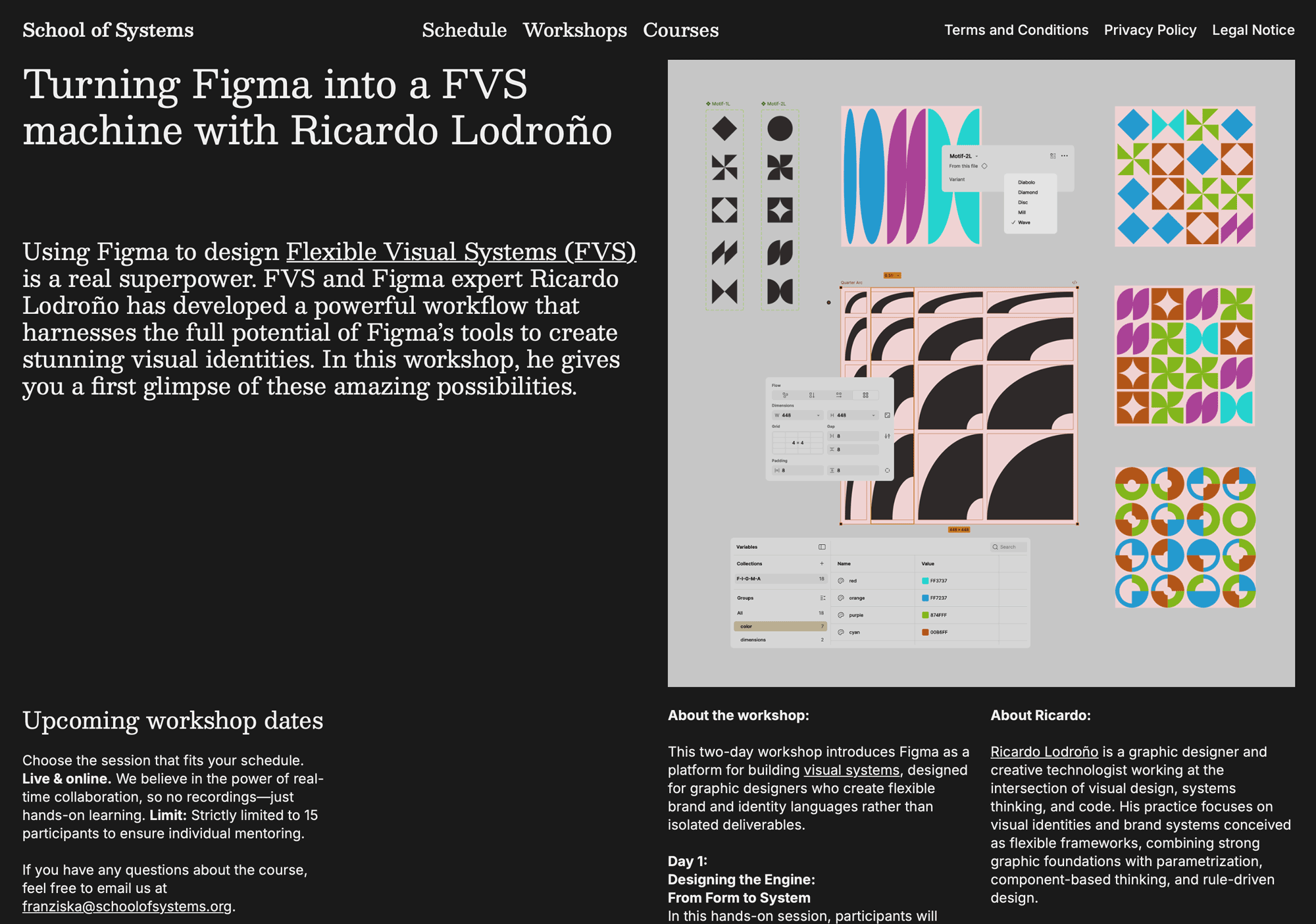
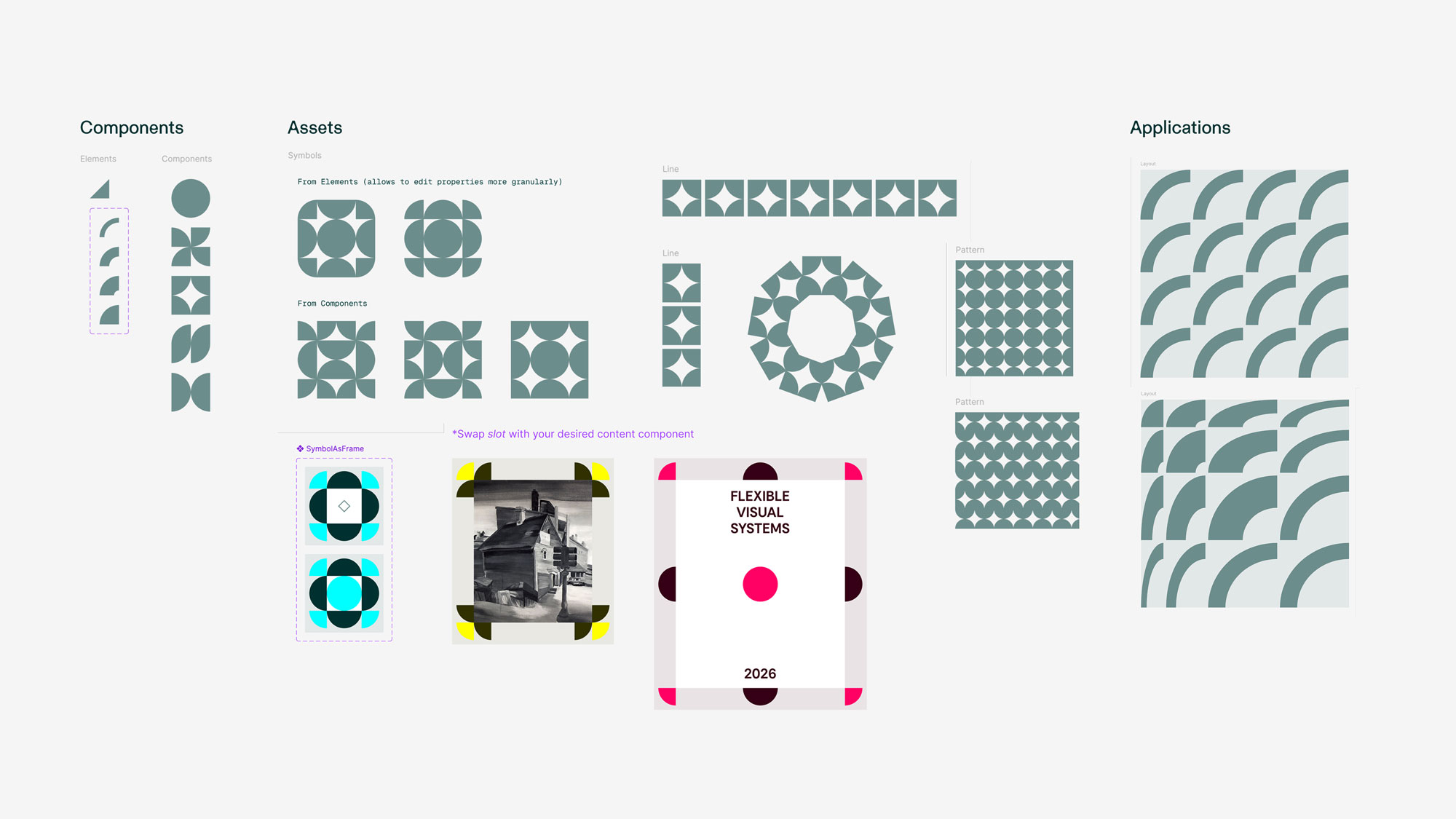
Ricardo: Sure! Since it’s a two-day workshop, the idea is not to learn all the features of Figma, but to understand how to build a Flexible Visual System from scratch using Figma as the working environment. The workshop will be very hands-on: we will develop a small visual system using the CAA method (Components → Assets → Applications) starting with variables and styles, then building simple visual components, and finally combining them into a coherent set of visual assets that can be applied to different formats and layouts.
We will deliberately work with a limited set of tools –basic shapes and typography, styles and simple variables, components with variants, and flexible layouts. Over the two days, they will move from designing components, to building assets, and finally to applying the system to real formats and testing how it behaves when recombined, resized, or scaled.
The goal is that participants leave the workshop with a small system they built themselves, and with a clearer understanding of how Figma can be used as a tool to work in graphic design in a more systemic way.
Martin: The course will be six sessions long and give the opportunity to cover more deep dives. It will be accessible for beginners but also offer lots of expert knowledge. Can you tell me a bit about the course?
Ricardo: The six-session course expands on the ideas introduced in the workshop and explores in more depth how to design, build, and implement flexible visual systems using Figma. While the workshop focuses on building one small system to understand the logic of the CAA method, the course is structured as a progressive journey through the different layers of a real visual system: layout, parametrization, systematization, and distribution. The idea is to go step by step through the process and understand which Figma tools correspond to each stage, and how they can be used in a systematic way.
We begin with layout, exploring the different options available in Figma (freeform layout with constraints, Auto Layout, and Grid) and understanding how each of them defines different behaviours and relationships between elements. In Figma, layout is not just composition; it is a structural decision that determines how a design flows and adapts to format or size changes.
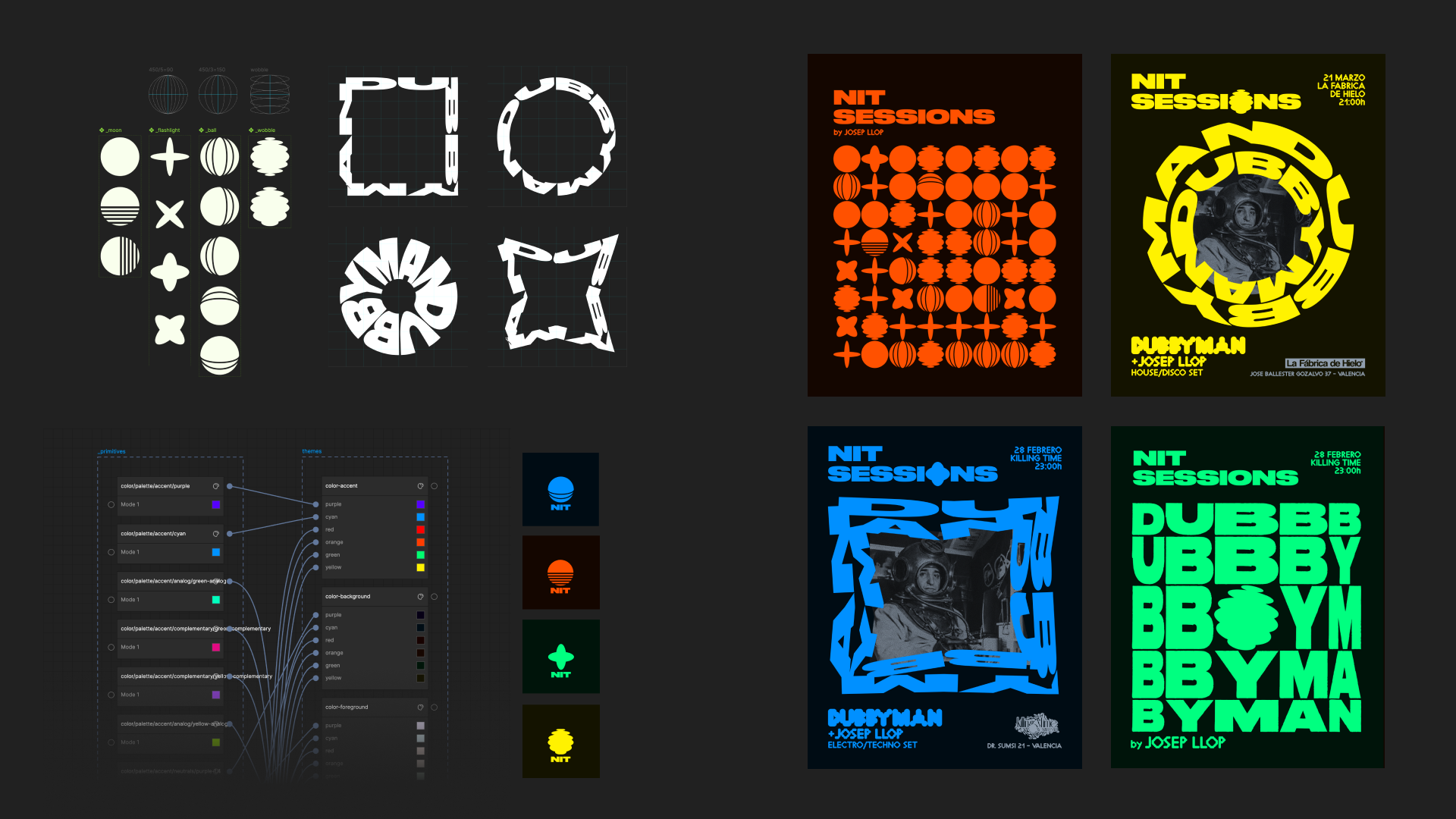
Then we move into parametrization, understanding how design decisions such as color, typography, or spacing can be encoded as variables and styles –moving from fixed choices to reusable values– and how variable modes allow us to create different versions of a design, such as theming or multi-brand systems, by modifying only these parameters instead of duplicating and redesigning everything.
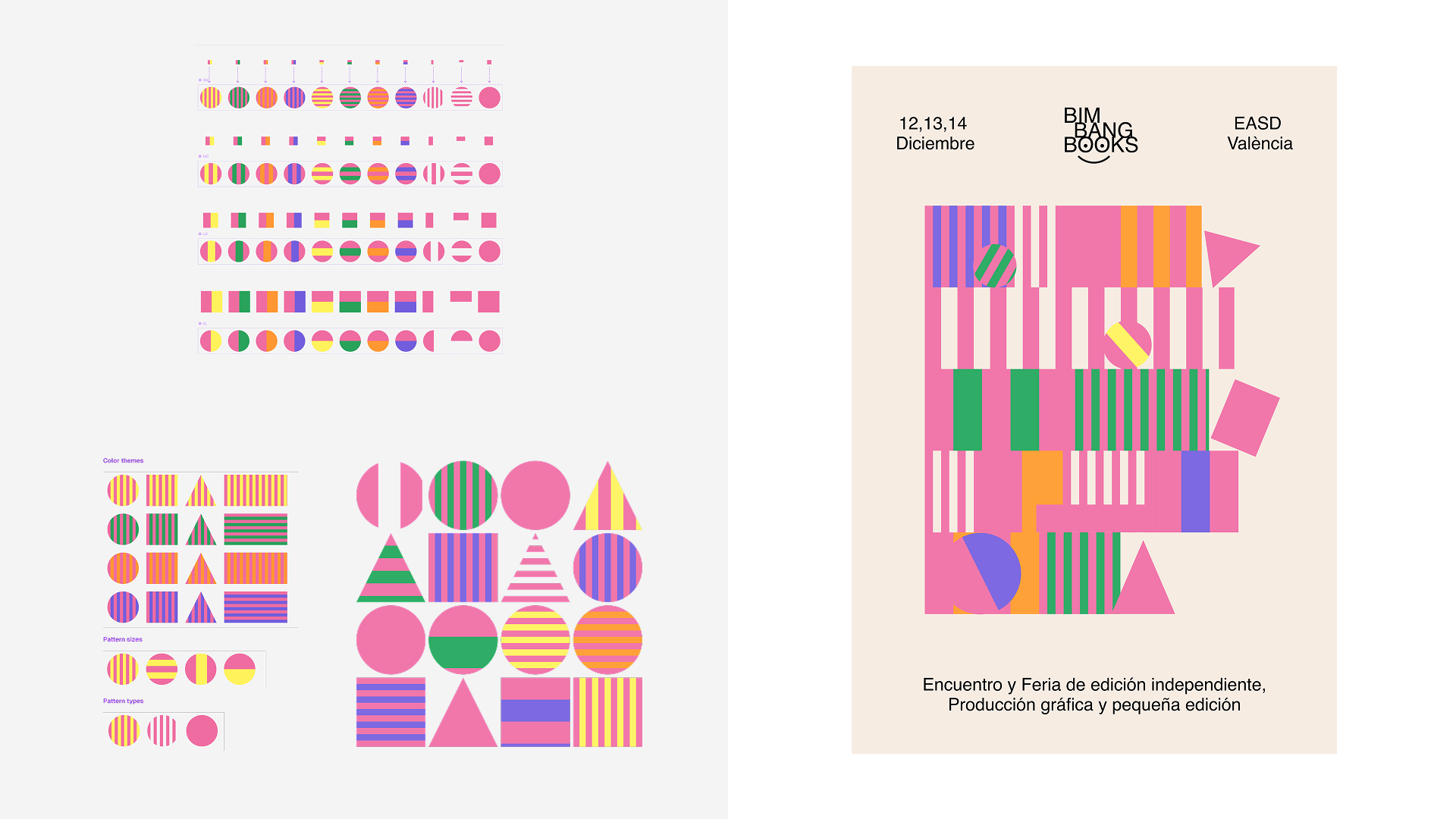
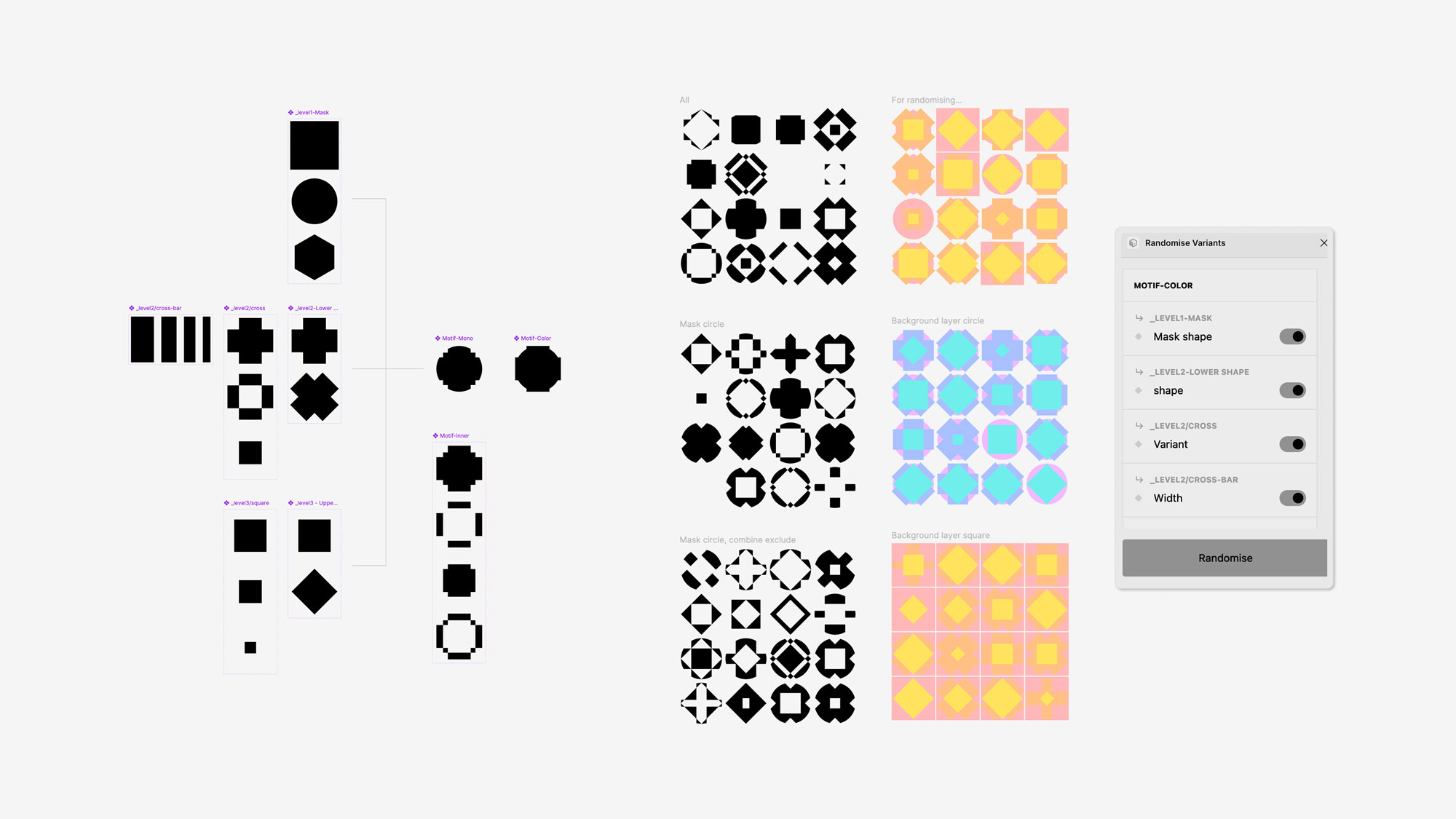
After that, we focus on systematization, where components –with variants and properties– allow us to transform static graphic assets into configurable and reusable visual devices. We will look at several real examples of form-based visual systems with different approaches –stacked components, adjacent shapes, modular structures– and we will try to reconstruct and translate those systems into Figma, understanding how they work and how they can be built as component-based systems.
Finally, the course addresses distribution and real-world use: how a visual system becomes a working tool for teams, both for designers (using native Figma Team libraries) and non-designers (using Figma Buzz templates). I would also like to introduce the idea of transferring these visual systems beyond Figma, using bespoke custom tools, which today are easier to develop thanks to new AI-assisted coding workflows –although that could also be a topic for a separate course.
Martin: Exciting! I want to participate in both the workshop and the course. As we close this interview, I would like to know what excites you.
Ricardo: I would say that what excites me the most is working in that space between technology and design. On one side, I’m very interested in rationalizing and systematizing design: parametrization, components, automation, connecting with real data… all these ideas that come from programming and (UI) design systems. But on the other side, I started out in graphic design, so I love the expression, intuition, and exploration side of it. In these days where everything seems generated, I love this feeling when coming up with something bold and personal that really touches you.
Unconsciously, I’m always trying to find a balance between those two worlds. I don’t like systems that feel too rigid or too perfect. I like it when there is still space for expression, boldness, or even a bit of rebelliousness inside the system. I’m interested in that tension between order and freedom.
So I think what excites me is exactly that: trying to combine a systematic way of thinking with a more intuitive and expressive visual language, and keeping up to date with new technologies that can help me achieve this.